


23 14 2 Details Changelog 0 Questions 651 Comments 3 Reviews 1 Tutorial Support Recommended Comments Prev 1 2 3 4 5 6 7 8 9 Next Page 4 of 27 Buurman 895 Posted November 3, 2022 Share 11 hours ago, mvdveer said: I used the side mount as I had the same issue. This is adjustable along the Y - Axis https://github.com/zruncho3d/ZeroClick/blob/main/STLs/ZeroClick_Dock_Side.stl I use the dock center, since I dont need to preload any nuts This is the most used one, but I get your choice, since you can adjust... but it would mean its getting almost above your print plate... I want to keep that clear.. Quote Link to comment Share on other sites More sharing options... Buurman 895 Posted November 3, 2022 (edited) Share 13 hours ago, atrushing said: This one is 3mm deeper with the outside hole routed to the inside. Want to give it a shot? ZeroClick_Mount_Mini_Stlb_ver0.3.stl 295.3 kB · 1 download oooooh, I will try this one, I noticed the wire hole you made! woohooo! AND.. it wont work... I noticed the ZeroClick is on Y0 already running against the railguards. Lets just call it a Journey... so a thicker one is not a solution, since it would only make this worse, sure you dont necessary need to travel this way to mount or dismount the ZeroClick, but its just not perfect that way I think. So... I think I need to divert to @mvdveer his choice, and go for the side station version, what means taking the printer half apart to load some nuts... f*ck me.. hahaha! realize how much I love the 2020 frame and its slot nuts. Edited November 3, 2022 by Buurman Quote Link to comment Share on other sites More sharing options... atrushing 1,063 Posted November 3, 2022 Share 1 hour ago, Buurman said: I use the dock center, since I dont need to preload any nuts What if I stretched the dock_center forward by the 2 or 3mm? Then we could go back to the first ZeroClick_mount and try to fit the wire routing hole. Quote Link to comment Share on other sites More sharing options... atrushing 1,063 Posted November 3, 2022 Share 1 hour ago, Buurman said: I noticed the ZeroClick is on Y0 already running against the railguards. Here is what it would look like with the dock_center brought forward by 3mm. It is still behind the z-axis rail guards. 1 Quote Link to comment Share on other sites More sharing options... atrushing 1,063 Posted November 3, 2022 Share 3 hours ago, Buurman said: I noticed the ZeroClick is on Y0 already running against the railguards. Is it hitting the plastic piece or the M3 screw head? Of course my model isn't perfect but using a flat-head screw could help. I could even adjust the plastic stop to give a little more clearance for the top half. I have added stl files for the center mount and the first ZeroClick_mount but with the hole routing to the inside. ZeroClick_Dock_Center_3mm_Offset_ATR.stl ZeroClick_Mount_Mini_Stlb_ver0.4.stl Quote Link to comment Share on other sites More sharing options... Buurman 895 Posted November 3, 2022 (edited) Share Oh dear... I took out the center one and just put in the side one, but... I can still test the center because I do think that would do the trick. I just hung the side one, and... pfff... what a horror, but its too high (or the mount too low). So I can edit the SIDE station and add... about 3 or 4 mm. I think I will print 2 infills, one of 3mm one of 4mm and try them. I think the SIDE station is better anyhow, the center one is too large, it spoils the beauty of a V0. Edited November 3, 2022 by Buurman Quote Link to comment Share on other sites More sharing options... atrushing 1,063 Posted November 3, 2022 Share 56 minutes ago, Buurman said: the center one is too large, it spoils the beauty of a V0. True, and it is very visible in the middle of the printer. I have adjusted the ZeroClick_mount so that it is 1mm shorter. This also makes it more flush with the bottom of the mini-sb. ZeroClick_Mount_Mini_Stlb_ver0.5.stl 1 Quote Link to comment Share on other sites More sharing options... Buurman 895 Posted November 3, 2022 Share yeah, great idea! it sticks out a bit too much, but for me, I am going with wat I have. If the 4mm infill is good, it means that it should be 3mm for the ones with the new mount. Quote Link to comment Share on other sites More sharing options... atrushing 1,063 Posted November 3, 2022 Share 6 minutes ago, Buurman said: yeah, great idea! it sticks out a bit too much, but for me, I am going with wat I have. If the 4mm infill is good, it means that it should be 3mm for the ones with the new mount. When I find some time I will install this on my Trident. Then I will get a better feel about how it all fits and works together. Quote Link to comment Share on other sites More sharing options... Buurman 895 Posted November 3, 2022 Share with the 4mm infill it works perfectly! so you need the 3mm difference on the center station if you already took 1mm off of the SBmount. nothing like the reward after a hard day work.... oh wait... WORK! I knew I forgot something... 3 1 Quote Link to comment Share on other sites More sharing options... atrushing 1,063 Posted November 3, 2022 Share 52 minutes ago, Buurman said: with the 4mm infill it works perfectly! so you need the 3mm difference on the center station if you already took 1mm off of the SBmount. nothing like the reward after a hard day work.... oh wait... WORK! I knew I forgot something... Looking good! Quote Link to comment Share on other sites More sharing options... mvdveer 3,128 Posted November 4, 2022 Share 12 hours ago, Buurman said: think the SIDE station is better anyhow, the center one is too large, it spoils the beauty of a V0. Agree, but it needed nuts .... (Told you preload for mods. Ha ha ha ha) Quote Link to comment Share on other sites More sharing options... Buurman 895 Posted November 4, 2022 Share 5 hours ago, mvdveer said: Agree, but it needed nuts .... (Told you preload for mods. Ha ha ha ha) Yeah I’m lazy/stubborn that way 1 Quote Link to comment Share on other sites More sharing options... Selcuk 9 Posted November 14, 2022 Share Can someone share me the X and Y offset values? Quote Link to comment Share on other sites More sharing options... atrushing 1,063 Posted November 14, 2022 Share 2 hours ago, Selcuk said: Can someone share me the X and Y offset values? I did my best to keep the X and Y nozzle position the same as stock in both the V0.1 and Trident/V2.4 installs. It is only the front face that sits further forward in the V0.1. Quote Link to comment Share on other sites More sharing options... Selcuk 9 Posted November 17, 2022 Share On 04.11.2022 at 12:00, Buurman said: Evet ben bu şekilde tembel/inatçıyım On 03.11.2022 at 20:23, Buurman said: 4 mm dolgu ile mükemmel çalışıyor! yani SBmount'tan zaten 1mm çıkardıysanız, merkez istasyonda 3mm farka ihtiyacınız var. zor bir günün ardından verilen ödül gibisi yoktur.... ah bekle... ÇALIŞ! Bir şey unuttuğumu biliyordum... Hello my friend. How can I reach you. Quote Link to comment Share on other sites More sharing options... Buurman 895 Posted November 18, 2022 Share All questions can be done here, we are all here to help and look at topics daily. Quote Link to comment Share on other sites More sharing options... Selcuk 9 Posted November 19, 2022 Share On 11/18/2022 at 11:21 AM, Buurman said: All questions can be done here, we are all here to help and look at topics daily. I need bad mesh and X-Y offset values. I could never Quote Link to comment Share on other sites More sharing options... atrushing 1,063 Posted November 19, 2022 Share 11 minutes ago, Selcuk said: I need bad mesh and X-Y offset values. For the ZeroClick probe, it looks like it is -19 in the X axis and +14 in the Y axis. I'm not sure if the offset in Klipper measures from the nozzle to the switch (my measurements) or from the switch to the nozzle, so you may have to invert the +/- of those values. 2 Quote Link to comment Share on other sites More sharing options... Selcuk 9 Posted November 19, 2022 Share 1 hour ago, atrushing said: For the ZeroClick probe, it looks like it is -19 in the X axis and +14 in the Y axis. I'm not sure if the offset in Klipper measures from the nozzle to the switch (my measurements) or from the switch to the nozzle, so you may have to invert the +/- of those values. Thank you so much. With the information I need. Everything is working normally now. 1 Quote Link to comment Share on other sites More sharing options... atrushing 1,063 Posted November 19, 2022 Share 12 minutes ago, Selcuk said: That is a cool looking enclosure! 1 Quote Link to comment Share on other sites More sharing options... Rixi 7 Posted November 28, 2022 Share Hi, I'm new here and still relatively new to 3D printing in general (~1 year). Already got a ORBITER 2.0 on my desk and a Dragon SF on the way. Is there anywhere a BOM for this beauty ? (LEDs, screws, thread inserts.... anything else?) Has anyone installed it on an Ender 6 (stock rails, no linear rails mod) ? Any tips how to do it or things to take care of? Thanks, Rixi Quote Link to comment Share on other sites More sharing options... Buurman 895 Posted November 28, 2022 Share 6 minutes ago, Rixi said: Hi, I'm new here and still relatively new to 3D printing in general (~1 year). Already got a ORBITER 2.0 on my desk and a Dragon SF on the way. Is there anywhere a BOM for this beauty ? (LEDs, screws, thread inserts.... anything else?) Has anyone installed it on an Ender 6 (stock rails, no linear rails mod) ? Any tips how to do it or things to take care of? Thanks, Rixi You need a pair of 4010 blowers and 3 neopixel RGB button LEDS (WS2812B) screws, no idea anymore... nothing exotic. The mini fits the Orbiter 2/Dragon SF (since I have that too, so download the right one) Just dont know about the mount to a Ender 6 rail, since I only Voron's left 1 Quote Link to comment Share on other sites More sharing options... Rixi 7 Posted November 28, 2022 Share Thanks @Buurman, Wow, that was a rapid reply! I googled a bit regarding the LEDs and now ended up with a hand full of SK6812 (these ones from Ali) in my basket. Same protocol as the WS2812B, but with an additional white channel. Work with Klipper. I have a few sets of 4010 blowers laying around. What size is the hotend fan? I also have a good assortment of screws, but not the screw/thread inserts. What size is needed? Is PETG sufficient for printing the parts? Just realized that the the top cover I just ordered yesterday will never-ever fit in combination with the Mini Stealth Where the white clamp sits is where the (metal) plate of the carriage ends. My understanding is that the ORBITER would sit on top of this: Is there any experience with placing the whole mini Stealth (including the ORBITER) in front of the rail? Best, Rixi Quote Link to comment Share on other sites More sharing options... atrushing 1,063 Posted November 28, 2022 Share 1 hour ago, Rixi said: Already got a ORBITER 2.0 on my desk and a Dragon SF on the way. Is there anywhere a BOM for this beauty ? Thanks for the compliment! Here is a basic BOM for the Mini SB Orbiter 2.0: 1 x hotend (Heat me up Scotty!) 1 x extruder (Push it real good!) 2 x 4010 blower fan 24V (part cooling) 1 x 3007 fan 5V (hotend fan) 3 x SK6812 WS2812B RGBW - single LED PCB 5 x M3x4x5 heat set inserts (3 for toolhead and 2 for x-carriage) 3 x M2.5x6 screws (hotend mounting) [M3x6 for Revo Voron] 1 x 4mm OD 2mm ID PTFE tube 4 x M3x8 BHCS (secure extruder and cable_strain_relief) 1 x M3x10 BHCS (cable_door pivot) 1 x M3x6 (secure cable_door) 2 x M3x35 BHCS (secure toolhead to x-carriage) 14 minutes ago, Rixi said: Just realized that the the top cover I just ordered yesterday will never-ever fit in combination with the Mini Stealth Where the white clamp sits is where the (metal) plate of the carriage ends. My understanding is that the ORBITER would sit on top of this: Here is a mockup of how the Mini SB would sit on the Ender 6 carriage to maintain the same Z distance to the build plate: The top of the Mini SB is 20mm higher than the metal plate. It would also sit at least 15mm further forward than the stock hotend. I don't know if that would affect the Y travel or if the build plate could be adjusted to maintain the same build volume. The green body is a model I found for using the Orbiter 1.5 on the Ender 6. 1 2 Quote Link to comment Share on other sites More sharing options... Prev 1 2 3 4 5 6 7 8 9 Next Page 4 of 27 Join the conversation You can post now and register later. If you have an account, sign in now to post with your account. Add a comment... × Pasted as rich text. Paste as plain text instead Only 75 emoji are allowed. × Your link has been automatically embedded. Display as a link instead × Your previous content has been restored. Clear editor × You cannot paste images directly. Upload or insert images from URL. × Desktop Tablet Phone Submit Comment
Buurman 895 Posted November 3, 2022 Share 11 hours ago, mvdveer said: I used the side mount as I had the same issue. This is adjustable along the Y - Axis https://github.com/zruncho3d/ZeroClick/blob/main/STLs/ZeroClick_Dock_Side.stl I use the dock center, since I dont need to preload any nuts This is the most used one, but I get your choice, since you can adjust... but it would mean its getting almost above your print plate... I want to keep that clear.. Quote Link to comment Share on other sites More sharing options...
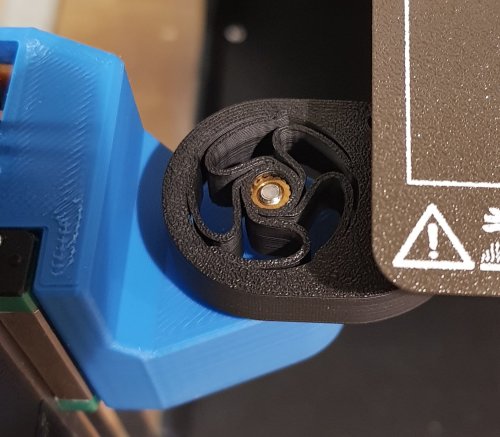
Buurman 895 Posted November 3, 2022 (edited) Share 13 hours ago, atrushing said: This one is 3mm deeper with the outside hole routed to the inside. Want to give it a shot? ZeroClick_Mount_Mini_Stlb_ver0.3.stl 295.3 kB · 1 download oooooh, I will try this one, I noticed the wire hole you made! woohooo! AND.. it wont work... I noticed the ZeroClick is on Y0 already running against the railguards. Lets just call it a Journey... so a thicker one is not a solution, since it would only make this worse, sure you dont necessary need to travel this way to mount or dismount the ZeroClick, but its just not perfect that way I think. So... I think I need to divert to @mvdveer his choice, and go for the side station version, what means taking the printer half apart to load some nuts... f*ck me.. hahaha! realize how much I love the 2020 frame and its slot nuts. Edited November 3, 2022 by Buurman Quote Link to comment Share on other sites More sharing options...
atrushing 1,063 Posted November 3, 2022 Share 1 hour ago, Buurman said: I use the dock center, since I dont need to preload any nuts What if I stretched the dock_center forward by the 2 or 3mm? Then we could go back to the first ZeroClick_mount and try to fit the wire routing hole. Quote Link to comment Share on other sites More sharing options...
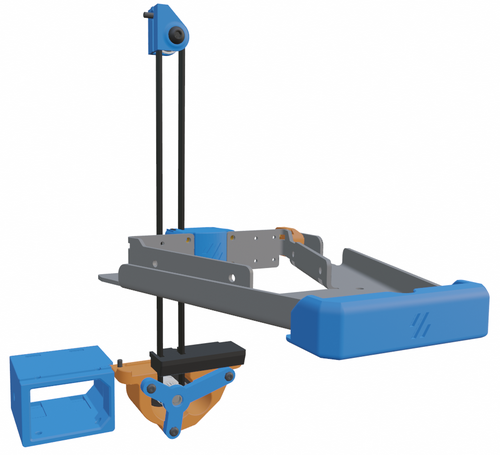
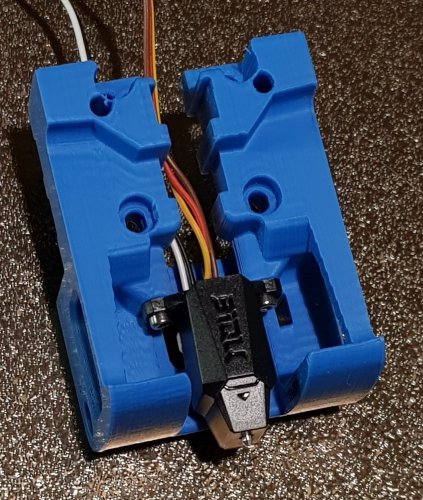
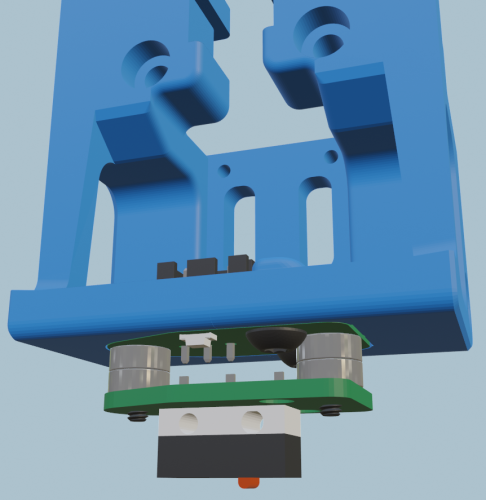
atrushing 1,063 Posted November 3, 2022 Share 1 hour ago, Buurman said: I noticed the ZeroClick is on Y0 already running against the railguards. Here is what it would look like with the dock_center brought forward by 3mm. It is still behind the z-axis rail guards. 1 Quote Link to comment Share on other sites More sharing options...
atrushing 1,063 Posted November 3, 2022 Share 3 hours ago, Buurman said: I noticed the ZeroClick is on Y0 already running against the railguards. Is it hitting the plastic piece or the M3 screw head? Of course my model isn't perfect but using a flat-head screw could help. I could even adjust the plastic stop to give a little more clearance for the top half. I have added stl files for the center mount and the first ZeroClick_mount but with the hole routing to the inside. ZeroClick_Dock_Center_3mm_Offset_ATR.stl ZeroClick_Mount_Mini_Stlb_ver0.4.stl Quote Link to comment Share on other sites More sharing options...
Buurman 895 Posted November 3, 2022 (edited) Share Oh dear... I took out the center one and just put in the side one, but... I can still test the center because I do think that would do the trick. I just hung the side one, and... pfff... what a horror, but its too high (or the mount too low). So I can edit the SIDE station and add... about 3 or 4 mm. I think I will print 2 infills, one of 3mm one of 4mm and try them. I think the SIDE station is better anyhow, the center one is too large, it spoils the beauty of a V0. Edited November 3, 2022 by Buurman Quote Link to comment Share on other sites More sharing options...
atrushing 1,063 Posted November 3, 2022 Share 56 minutes ago, Buurman said: the center one is too large, it spoils the beauty of a V0. True, and it is very visible in the middle of the printer. I have adjusted the ZeroClick_mount so that it is 1mm shorter. This also makes it more flush with the bottom of the mini-sb. ZeroClick_Mount_Mini_Stlb_ver0.5.stl 1 Quote Link to comment Share on other sites More sharing options...
Buurman 895 Posted November 3, 2022 Share yeah, great idea! it sticks out a bit too much, but for me, I am going with wat I have. If the 4mm infill is good, it means that it should be 3mm for the ones with the new mount. Quote Link to comment Share on other sites More sharing options...
atrushing 1,063 Posted November 3, 2022 Share 6 minutes ago, Buurman said: yeah, great idea! it sticks out a bit too much, but for me, I am going with wat I have. If the 4mm infill is good, it means that it should be 3mm for the ones with the new mount. When I find some time I will install this on my Trident. Then I will get a better feel about how it all fits and works together. Quote Link to comment Share on other sites More sharing options...
Buurman 895 Posted November 3, 2022 Share with the 4mm infill it works perfectly! so you need the 3mm difference on the center station if you already took 1mm off of the SBmount. nothing like the reward after a hard day work.... oh wait... WORK! I knew I forgot something... 3 1 Quote Link to comment Share on other sites More sharing options...
atrushing 1,063 Posted November 3, 2022 Share 52 minutes ago, Buurman said: with the 4mm infill it works perfectly! so you need the 3mm difference on the center station if you already took 1mm off of the SBmount. nothing like the reward after a hard day work.... oh wait... WORK! I knew I forgot something... Looking good! Quote Link to comment Share on other sites More sharing options...
mvdveer 3,128 Posted November 4, 2022 Share 12 hours ago, Buurman said: think the SIDE station is better anyhow, the center one is too large, it spoils the beauty of a V0. Agree, but it needed nuts .... (Told you preload for mods. Ha ha ha ha) Quote Link to comment Share on other sites More sharing options...
Buurman 895 Posted November 4, 2022 Share 5 hours ago, mvdveer said: Agree, but it needed nuts .... (Told you preload for mods. Ha ha ha ha) Yeah I’m lazy/stubborn that way 1 Quote Link to comment Share on other sites More sharing options...
Selcuk 9 Posted November 14, 2022 Share Can someone share me the X and Y offset values? Quote Link to comment Share on other sites More sharing options...
atrushing 1,063 Posted November 14, 2022 Share 2 hours ago, Selcuk said: Can someone share me the X and Y offset values? I did my best to keep the X and Y nozzle position the same as stock in both the V0.1 and Trident/V2.4 installs. It is only the front face that sits further forward in the V0.1. Quote Link to comment Share on other sites More sharing options...
Selcuk 9 Posted November 17, 2022 Share On 04.11.2022 at 12:00, Buurman said: Evet ben bu şekilde tembel/inatçıyım On 03.11.2022 at 20:23, Buurman said: 4 mm dolgu ile mükemmel çalışıyor! yani SBmount'tan zaten 1mm çıkardıysanız, merkez istasyonda 3mm farka ihtiyacınız var. zor bir günün ardından verilen ödül gibisi yoktur.... ah bekle... ÇALIŞ! Bir şey unuttuğumu biliyordum... Hello my friend. How can I reach you. Quote Link to comment Share on other sites More sharing options...
Buurman 895 Posted November 18, 2022 Share All questions can be done here, we are all here to help and look at topics daily. Quote Link to comment Share on other sites More sharing options...
Selcuk 9 Posted November 19, 2022 Share On 11/18/2022 at 11:21 AM, Buurman said: All questions can be done here, we are all here to help and look at topics daily. I need bad mesh and X-Y offset values. I could never Quote Link to comment Share on other sites More sharing options...
atrushing 1,063 Posted November 19, 2022 Share 11 minutes ago, Selcuk said: I need bad mesh and X-Y offset values. For the ZeroClick probe, it looks like it is -19 in the X axis and +14 in the Y axis. I'm not sure if the offset in Klipper measures from the nozzle to the switch (my measurements) or from the switch to the nozzle, so you may have to invert the +/- of those values. 2 Quote Link to comment Share on other sites More sharing options...
Selcuk 9 Posted November 19, 2022 Share 1 hour ago, atrushing said: For the ZeroClick probe, it looks like it is -19 in the X axis and +14 in the Y axis. I'm not sure if the offset in Klipper measures from the nozzle to the switch (my measurements) or from the switch to the nozzle, so you may have to invert the +/- of those values. Thank you so much. With the information I need. Everything is working normally now. 1 Quote Link to comment Share on other sites More sharing options...
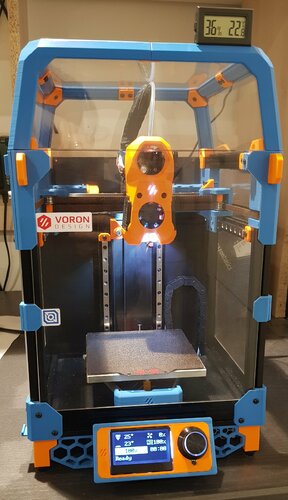
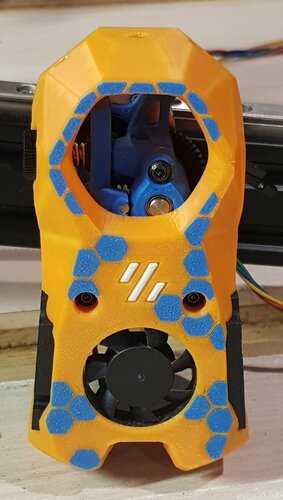
atrushing 1,063 Posted November 19, 2022 Share 12 minutes ago, Selcuk said: That is a cool looking enclosure! 1 Quote Link to comment Share on other sites More sharing options...
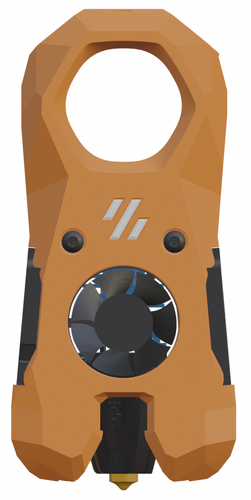
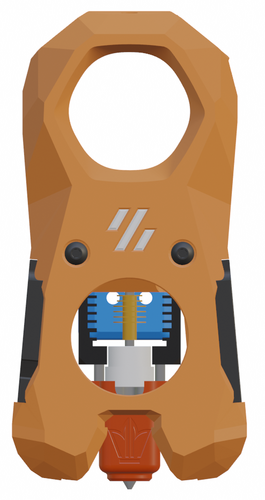
Rixi 7 Posted November 28, 2022 Share Hi, I'm new here and still relatively new to 3D printing in general (~1 year). Already got a ORBITER 2.0 on my desk and a Dragon SF on the way. Is there anywhere a BOM for this beauty ? (LEDs, screws, thread inserts.... anything else?) Has anyone installed it on an Ender 6 (stock rails, no linear rails mod) ? Any tips how to do it or things to take care of? Thanks, Rixi Quote Link to comment Share on other sites More sharing options...
Buurman 895 Posted November 28, 2022 Share 6 minutes ago, Rixi said: Hi, I'm new here and still relatively new to 3D printing in general (~1 year). Already got a ORBITER 2.0 on my desk and a Dragon SF on the way. Is there anywhere a BOM for this beauty ? (LEDs, screws, thread inserts.... anything else?) Has anyone installed it on an Ender 6 (stock rails, no linear rails mod) ? Any tips how to do it or things to take care of? Thanks, Rixi You need a pair of 4010 blowers and 3 neopixel RGB button LEDS (WS2812B) screws, no idea anymore... nothing exotic. The mini fits the Orbiter 2/Dragon SF (since I have that too, so download the right one) Just dont know about the mount to a Ender 6 rail, since I only Voron's left 1 Quote Link to comment Share on other sites More sharing options...
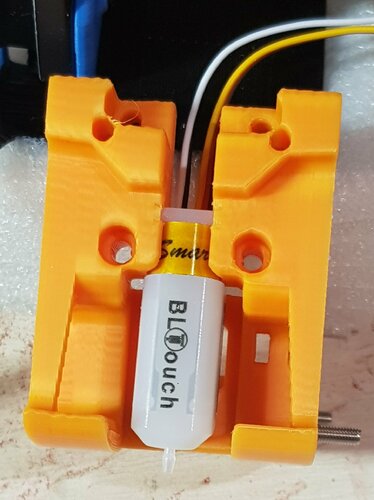
Rixi 7 Posted November 28, 2022 Share Thanks @Buurman, Wow, that was a rapid reply! I googled a bit regarding the LEDs and now ended up with a hand full of SK6812 (these ones from Ali) in my basket. Same protocol as the WS2812B, but with an additional white channel. Work with Klipper. I have a few sets of 4010 blowers laying around. What size is the hotend fan? I also have a good assortment of screws, but not the screw/thread inserts. What size is needed? Is PETG sufficient for printing the parts? Just realized that the the top cover I just ordered yesterday will never-ever fit in combination with the Mini Stealth Where the white clamp sits is where the (metal) plate of the carriage ends. My understanding is that the ORBITER would sit on top of this: Is there any experience with placing the whole mini Stealth (including the ORBITER) in front of the rail? Best, Rixi Quote Link to comment Share on other sites More sharing options...
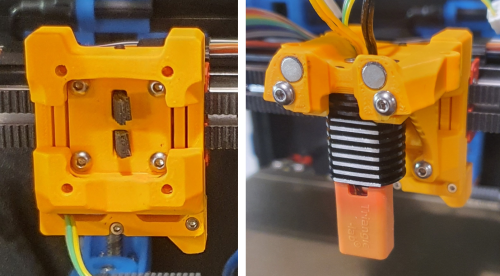
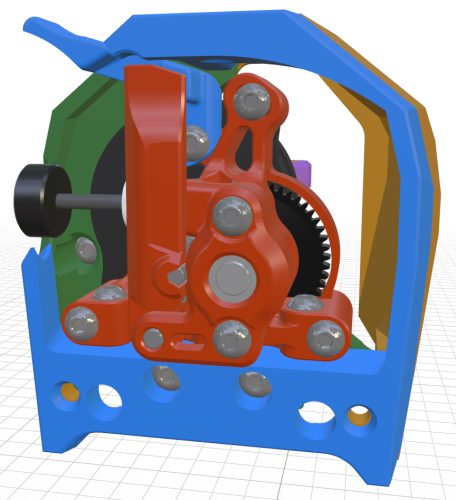
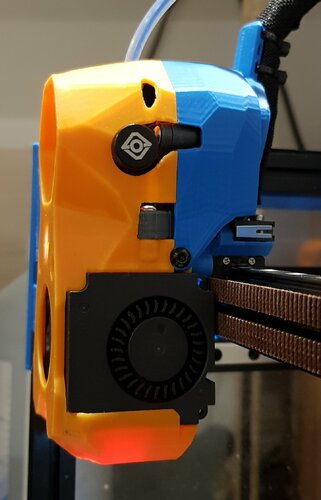
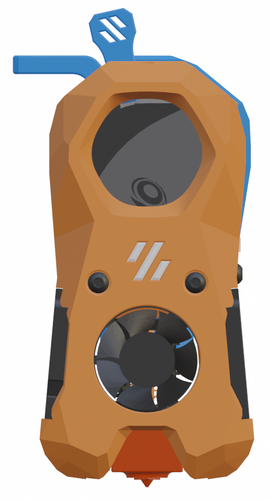
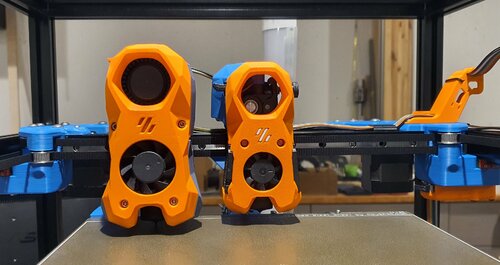
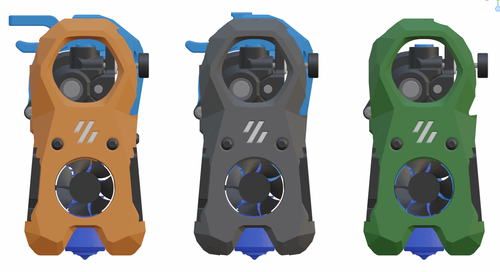
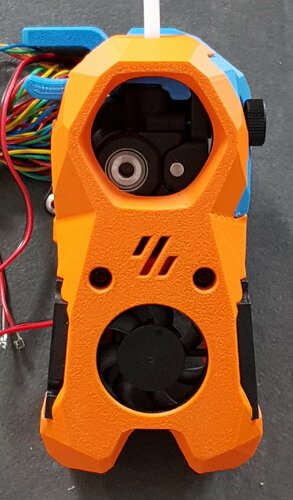
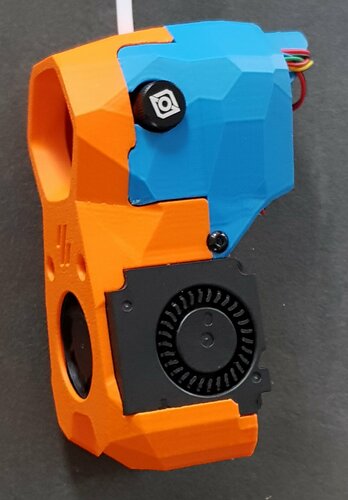
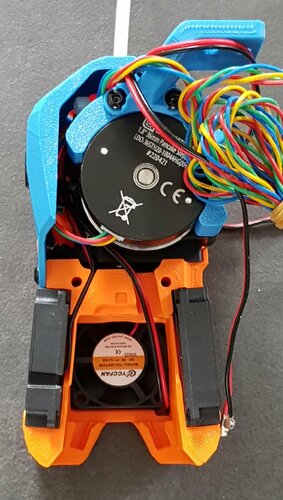
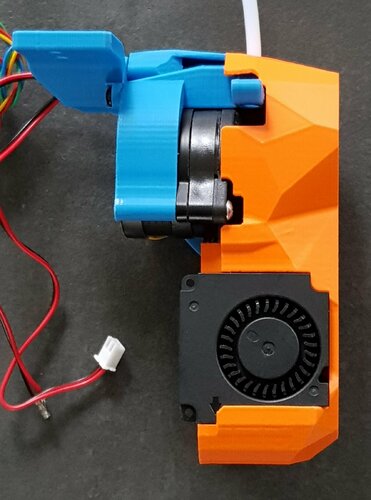
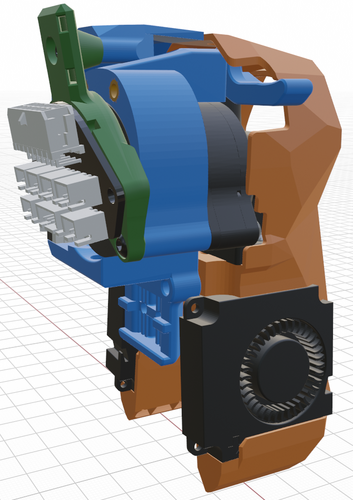
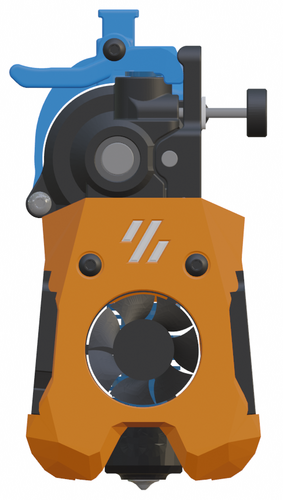
atrushing 1,063 Posted November 28, 2022 Share 1 hour ago, Rixi said: Already got a ORBITER 2.0 on my desk and a Dragon SF on the way. Is there anywhere a BOM for this beauty ? Thanks for the compliment! Here is a basic BOM for the Mini SB Orbiter 2.0: 1 x hotend (Heat me up Scotty!) 1 x extruder (Push it real good!) 2 x 4010 blower fan 24V (part cooling) 1 x 3007 fan 5V (hotend fan) 3 x SK6812 WS2812B RGBW - single LED PCB 5 x M3x4x5 heat set inserts (3 for toolhead and 2 for x-carriage) 3 x M2.5x6 screws (hotend mounting) [M3x6 for Revo Voron] 1 x 4mm OD 2mm ID PTFE tube 4 x M3x8 BHCS (secure extruder and cable_strain_relief) 1 x M3x10 BHCS (cable_door pivot) 1 x M3x6 (secure cable_door) 2 x M3x35 BHCS (secure toolhead to x-carriage) 14 minutes ago, Rixi said: Just realized that the the top cover I just ordered yesterday will never-ever fit in combination with the Mini Stealth Where the white clamp sits is where the (metal) plate of the carriage ends. My understanding is that the ORBITER would sit on top of this: Here is a mockup of how the Mini SB would sit on the Ender 6 carriage to maintain the same Z distance to the build plate: The top of the Mini SB is 20mm higher than the metal plate. It would also sit at least 15mm further forward than the stock hotend. I don't know if that would affect the Y travel or if the build plate could be adjusted to maintain the same build volume. The green body is a model I found for using the Orbiter 1.5 on the Ender 6. 1 2 Quote Link to comment Share on other sites More sharing options...
Recommended Comments
Join the conversation
You can post now and register later. If you have an account, sign in now to post with your account.